Recharge Guide – Ragnarok: The New World
How to recharge via OneOne Payment Link?
(Before proceeding, please make sure you are LOGGED OUT of any OneOne accounts and are ONLINE in-game.)
- Go to the Official Ragnarok: The New World Webstore and log into your account via Email, Facebook or Google.
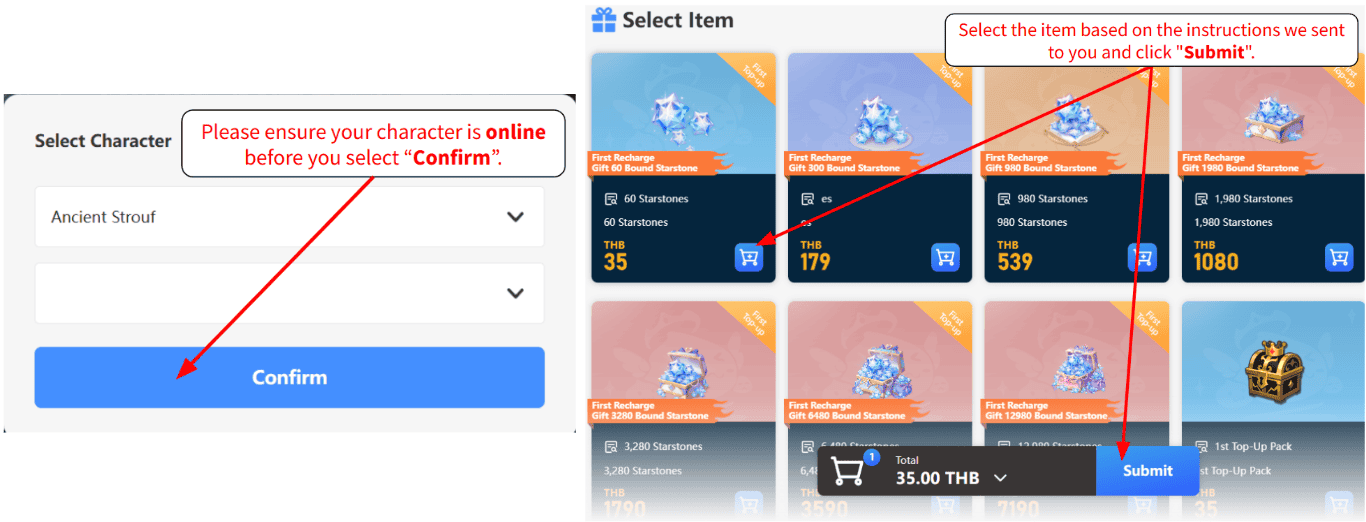
- Select your Server and Character.
- Select the item based on the instructions we sent to you and click “Submit“.
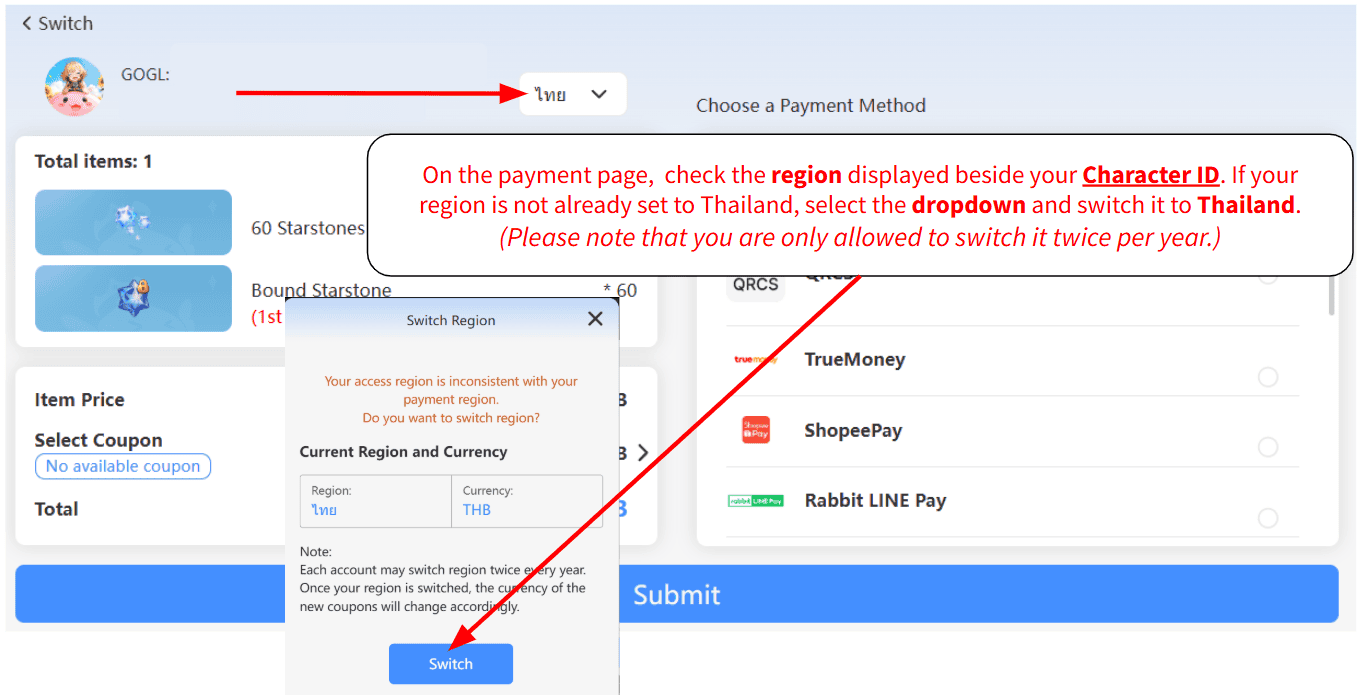
- On the payment page, check the region displayed beside your Character ID. If your region is not already set to Thailand, select the dropdown and switch it to Thailand. (Please note that you are only allowed to switch it twice per year.)
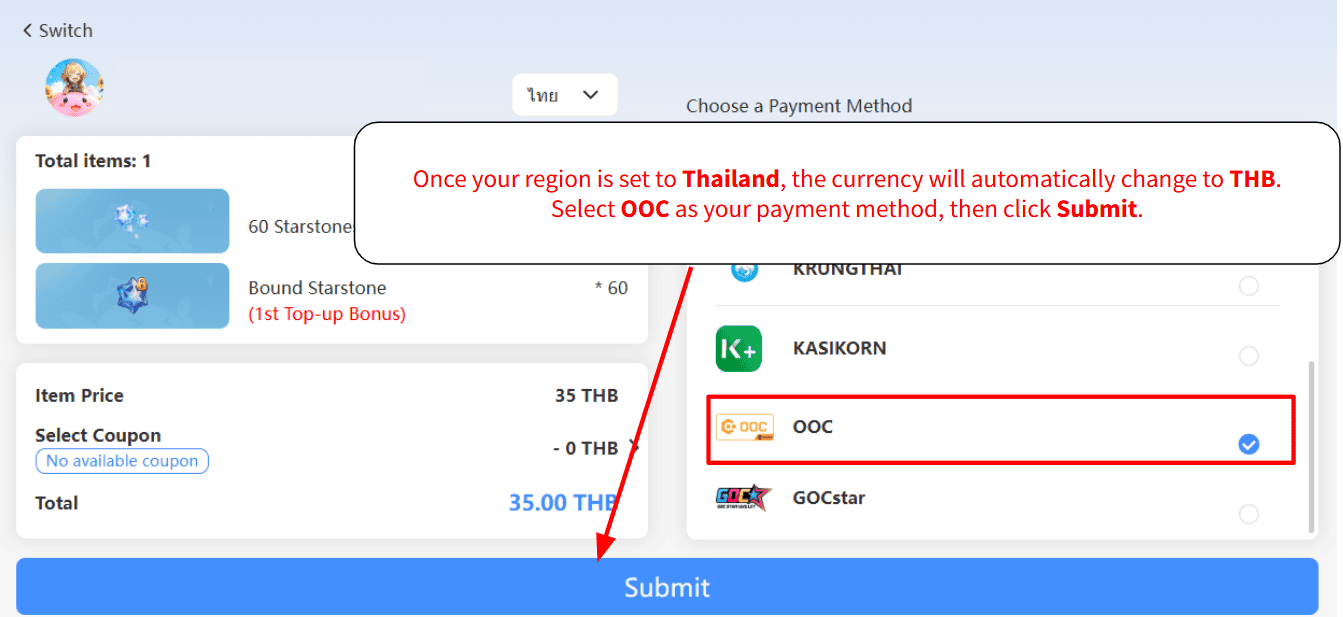
- Once your region is set to Thailand, the currency will automatically change to THB. Select OOC as your payment method, then click Submit.
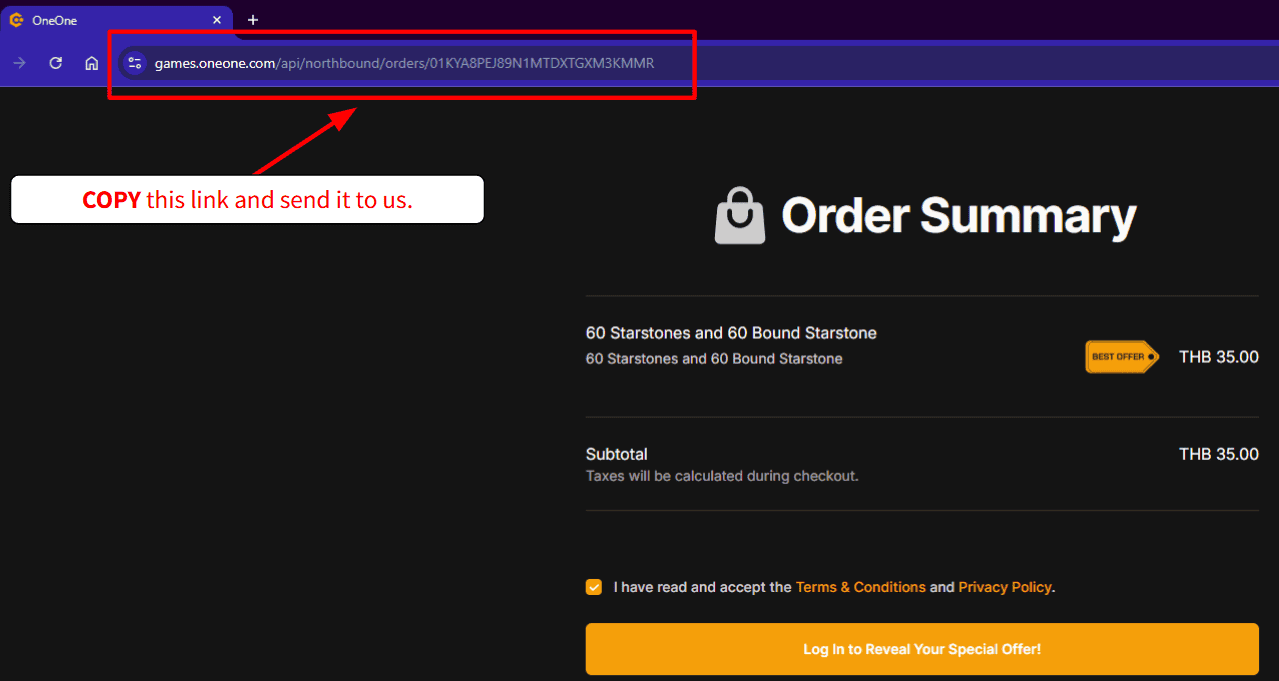
- You will be redirected to a OneOne payment page. COPY the link and send it to us to process payment.